
Packet Tracer Network Lab
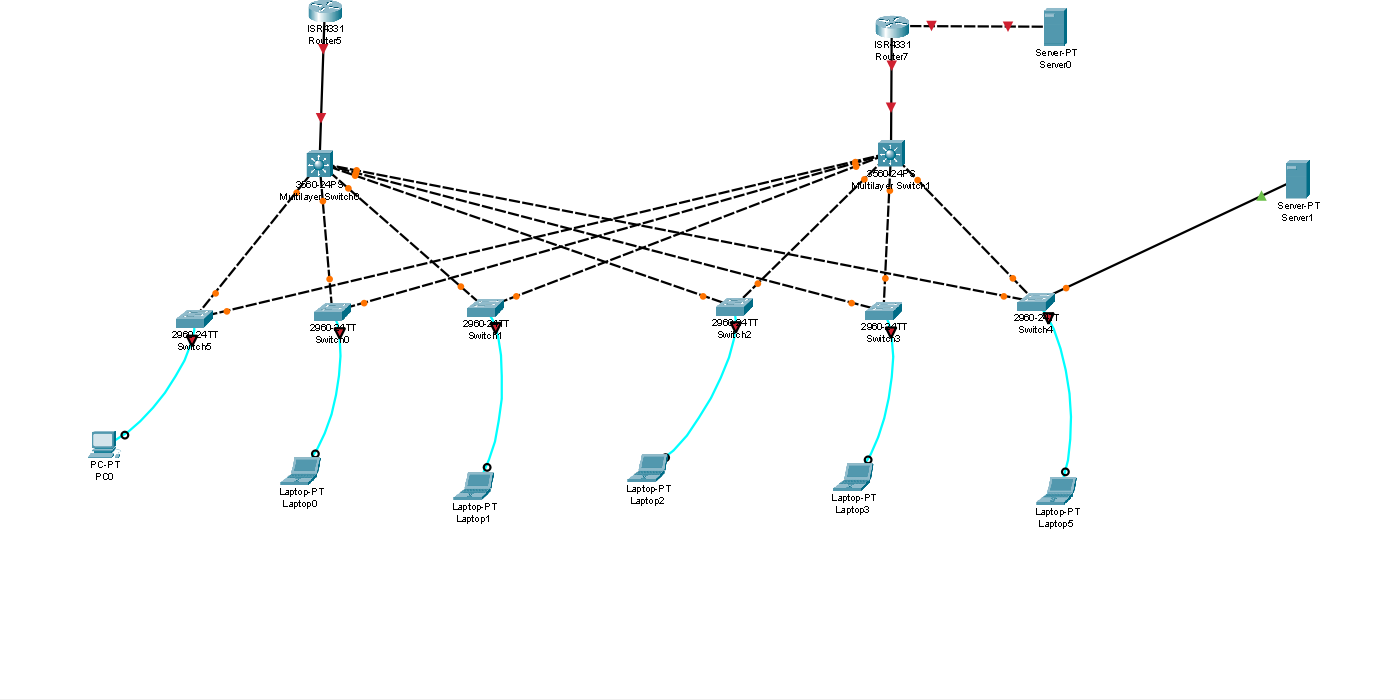
I wanted to really understand how networks work, not just memorize TCP/IP theory, so I started building small networks in Cisco Packet Tracer as if I was designing for a real company.
I began with a simple goal: make a PC open a website using a DNS server.
At first, it was harder than I expected. There were many things to configure before even a small network could work. I spent a lot of time testing, reading, and trying again until, finally, I managed to make a PC resolve a domain name and reach the web server. Seeing the page load felt like a small victory.
After that, I moved step by step.
I designed the network topology with switches and a router, then started assigning IP addresses manually. I wanted to understand how devices get their identity on a network, so I tested different IP ranges and subnet masks.
Next, I configured DHCP so PCs could receive their IP addresses automatically. I tested what happens when DHCP is configured correctly and when it is not. Then I configured the default gateway and checked how traffic flows outside the local network.
I also experimented with basic routing between different subnets. I created two separate networks and tested communication between them. Sometimes the networks could not communicate, and I had to figure out why and fix the routing configuration.
To understand how data really moves, I used simulation mode in Packet Tracer. I sent pings from one device to another and watched frames and packets travel step by step through the switch and router. I followed each hop, checked ARP requests, ICMP packets, and routing decisions to understand what was happening under the hood.
While learning all this, I also discovered many new commands and shortcuts, and I honestly enjoyed every second of it.
Most of the time, I tried to think like an IT technician in a small company:
What happens if DHCP fails?
What if the gateway is wrong?
What if DNS is misconfigured?